
Hello internets! It’s #TravelTuesday again, so I’m here for you to impart some kind of wisdom and today it’s all about tweaking colour with the Hue sliders. But first!
I’m writing this post from a Starbucks just outside of the Loch Lomond and Trossachs National Park in Scotland, fresh from a stop overnight before I head farther north towards the Isle of Skye. I’m shooting a couple of little projects involving drone photography and Platypod Tripods. You can keep up with all I’m doing on this trip by following me on social media, look for @capturewithdave, and by watching the @kelbyonepics Instagram story!
On with the blog!
The Hue / Saturation / Luminance tab in Adobe Camera Raw is very useful, but perhaps the most confusing of the options is the Hue. While the Saturation and Luminance tabs enhance the colours, the Hue tabs actually change them. There are some pretty powerful things you can do with the Hue tab. You can even change the seasons in post if you tweak the colours the right way.
What’s actually happening when you adjust a colour slider in the Hue tab is that you’re moving it’s position on a colour wheel. In terms of it”s practical application, I’ve used the Hue tab to adjust this photo and make the grass greener whilst maintaining the other colours: –
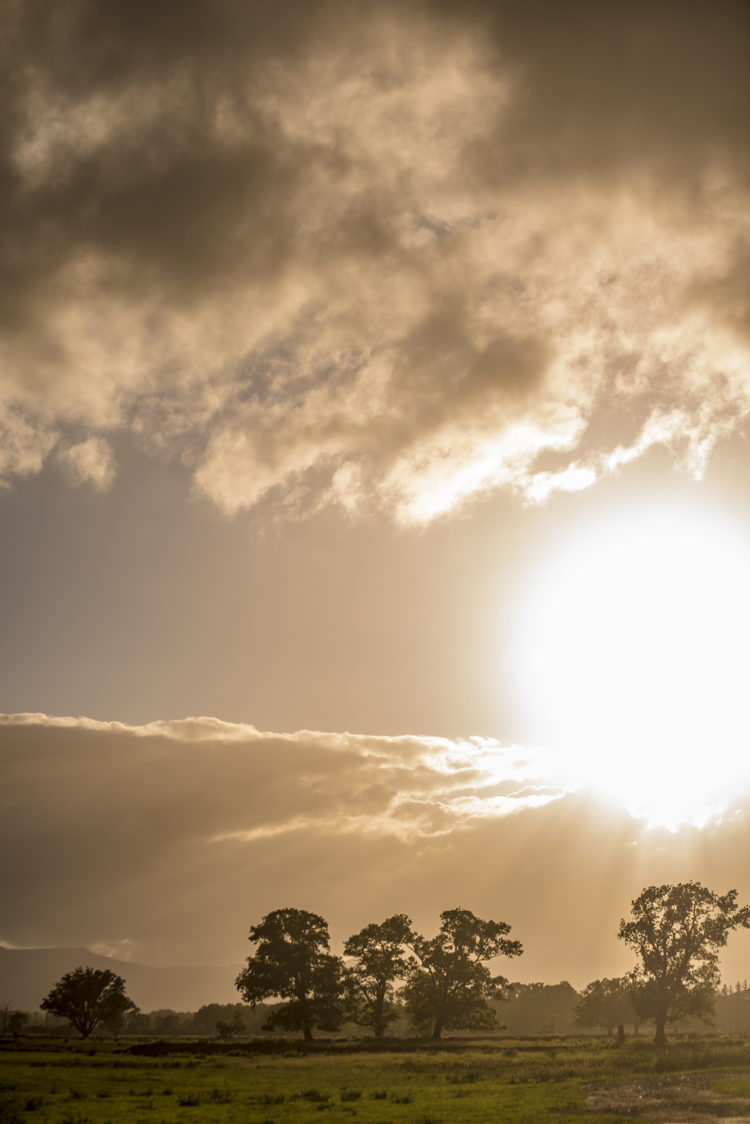
In this shot the tones up in the sky are beautiful, the sun lowering in the sky (it’s 9pm) is casting a fabulous orange glow, but I feel like my grass should be just that little bit greener. We can take advantage off the HSL tabs and make this adjustment right in Camera Raw.
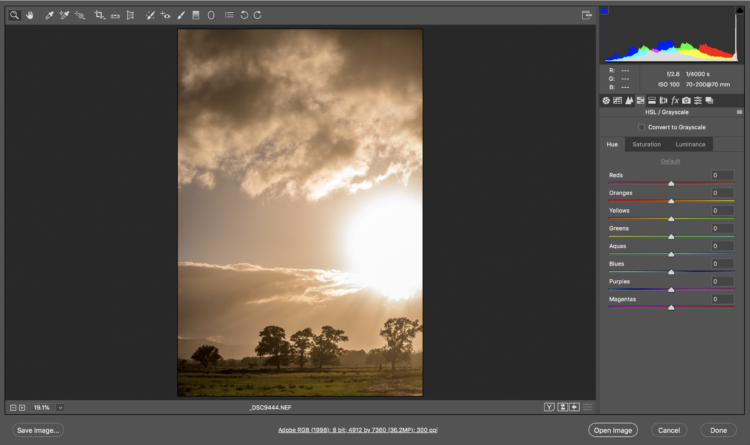
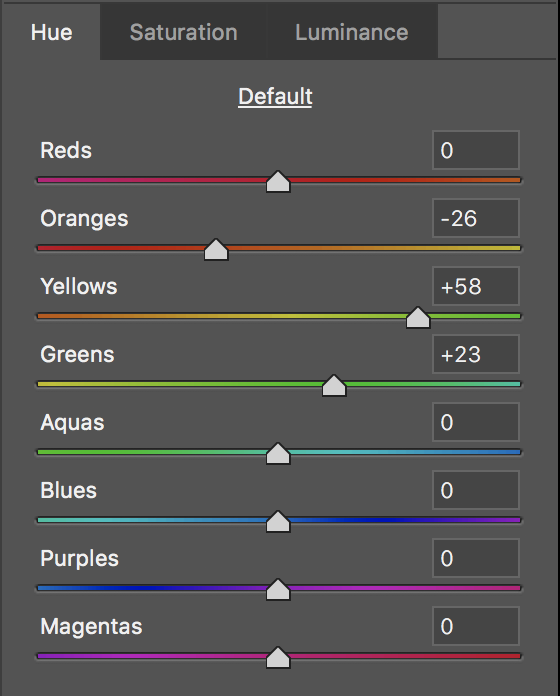
Using the Hue sliders to shift the colours within sections of the colour wheel, if we move the Yellow Slider (the colour of the grass in this case) towards the green end, and compensate with the Sliders on either side to maintain the actual Green and retain that Orange in the sky by moving that Slider away from the Yellow end, we’ve easily achieved our goal! It’s as easy as that!
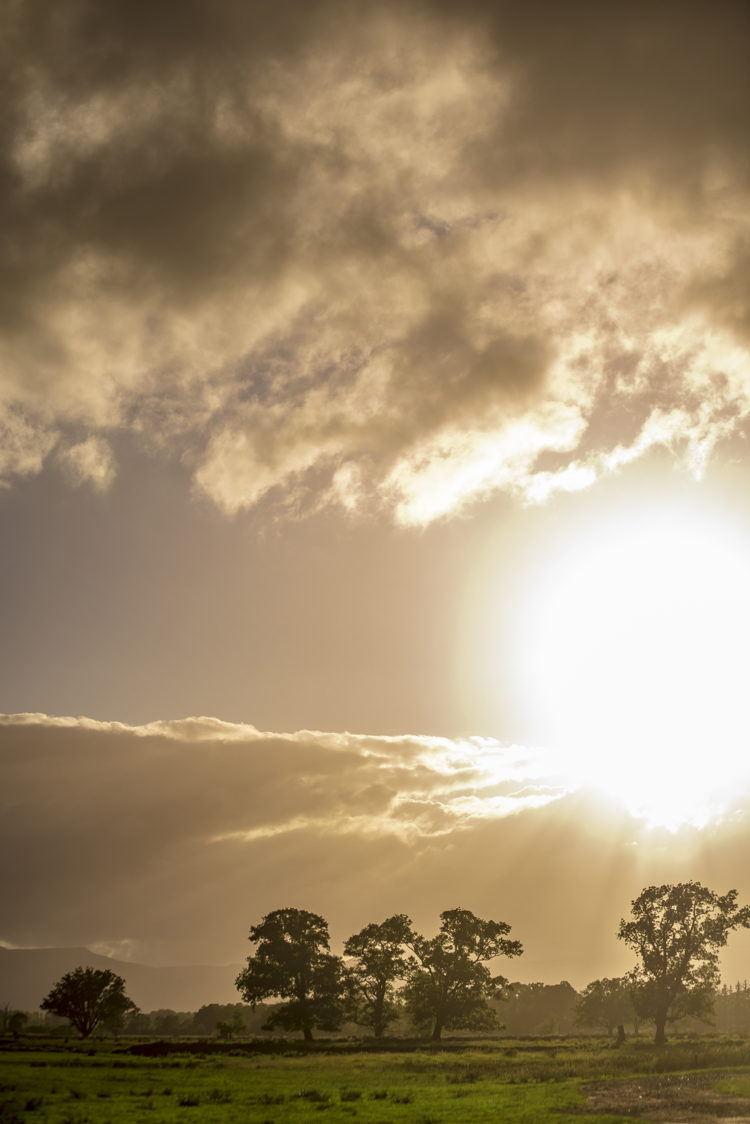
That grass is now greener, which to me is more realistic and more pleasing, and all it took is an understanding of what’s going on with the Hue tab.
Much love
Dave
The post Changing with Hue appeared first on Scott Kelby's Photoshop Insider.
from Scott Kelby's Photoshop Insider https://ift.tt/2JNl0Ka
via IFTTT

No comments:
Post a Comment